

Has Your New License Been Granted Yet?
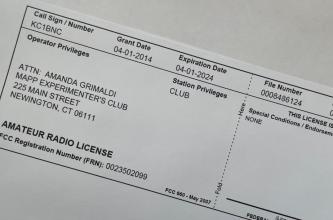
If you want to see whether your new amateur radio license has been granted, follow these instructions.
- Go to http://wireless.fcc.gov/uls/index.htm?job=home and click on Archive License Search link. This will take you to the Archive License Search page.
- At the Licensee section, enter only your last name in the Name box.
- Scroll down to the Date Information section. In the Date Type box, make sure it says Grant Date. Then select a fixed date range, such as “in the last 30 days.”
- Click Search on the right side of the page. If your license has been granted, it will be listed on the search results page.
- To print a copy of your license, click the listed callsign. This will take you to the Amateur License page.
- Click the Reference Copy link near the top center of the page. This will take you to the Reference Copy page.
- Print the page. You can frame the larger version for your shack wall, and the smaller one can be carried with you.
Print a Copy of Your License
If you need a printable “Reference Copy” of your license for personal use or as proof for an upgrade at VE testing, follow these instructions.
- Go to http://wireless.fcc.gov/uls/index.htm?job=home and click on Archive License Search. This will take you to the Archive License Search page.
- Enter your callsign and click Search on the right side of the page. This will take you to the search results page.
- Click the callsign listed last, which should be your current license. This will take you to the Amateur License page.
- Click the Reference Copy link near the top center of the page. This will take you to the Reference Copy page.
- Print the page. Please bring a signed copy of one of your licenses, either large or small.
Questions?
Any comments or questions may be sent to board@w6sf.org
